

Time Inspector
The Time Inspector tool in DevKnife provides a highly visual and interactive way to manage and compare times across the globe. This tool streamlines the process of coordinating schedules and understanding time differences by displaying everything on a clear 24-hour timeline.
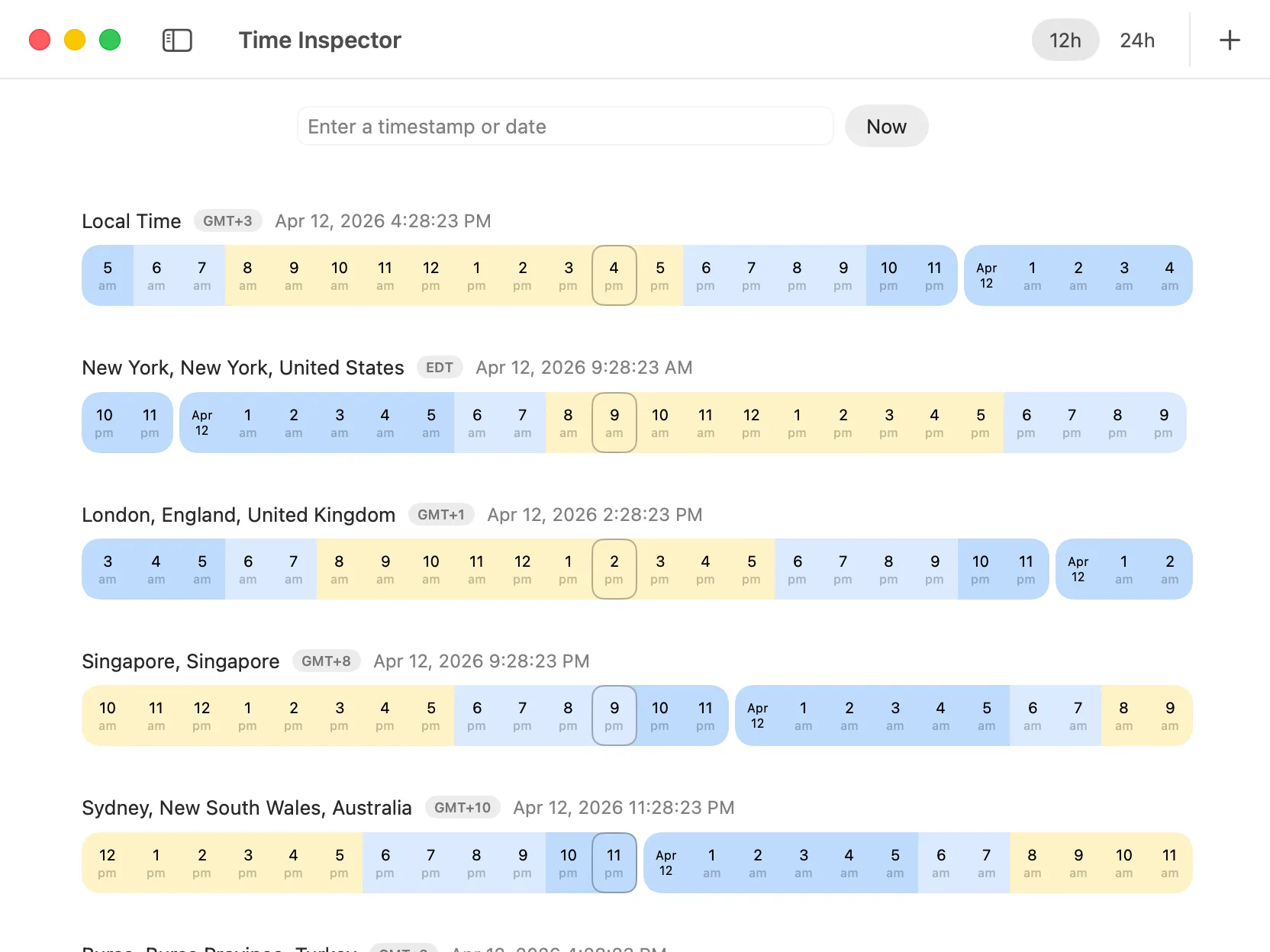
Using The Tool
Section titled “Using The Tool”The Time Inspector is designed for effortless time comparison and analysis:
- Flexible Input: Start by entering a Unix timestamp or a date string. The tool intelligently parses a wide variety of common date and time formats, including ISO-like formats, 12-hour AM/PM notations, US (MM/DD/YYYY), European dotted (DD.MM.YYYY), European slashed (DD/MM/YYYY) styles, and month-name abbreviations (e.g., “Jan 1, 2025”). This flexibility ensures you can input times in the format most convenient for you.
- Timezone Search: Easily add timezones by typing city names into the dedicated search field in the toolbar. With a database of over 7000 cities, finding the right timezone is quick and accurate.
- 12h/24h Toggle: Switch between 12-hour (AM/PM) and 24-hour time formats instantly using the toggle in the toolbar, allowing you to view times in your preferred display.
- 24-Hour Timeline Display: Your entered time, along with all added timezones, is visually mapped onto an intuitive 24-hour timeline. This allows you to quickly grasp the current time and future events in relation to different locations.
- Multi-Timezone Comparison: Add as many timezones as you need. Each one appears on the 24-hour timeline, allowing you to instantly compare time differences and see how timezones align. Perfect for scheduling international meetings or connecting with remote teams. You can easily remove timezones you no longer need for a cleaner view.
This tool is an indispensable asset for anyone collaborating internationally, planning events across regions, or simply needing a clear overview of global time.