

App Bundle Inspector
The App Bundle Inspector helps you explore the contents and configuration of a macOS app without browsing its bundle manually. It shows general metadata, disk usage, embedded components, privacy declarations, code-signing details, entitlements, and executable dependencies in one place.
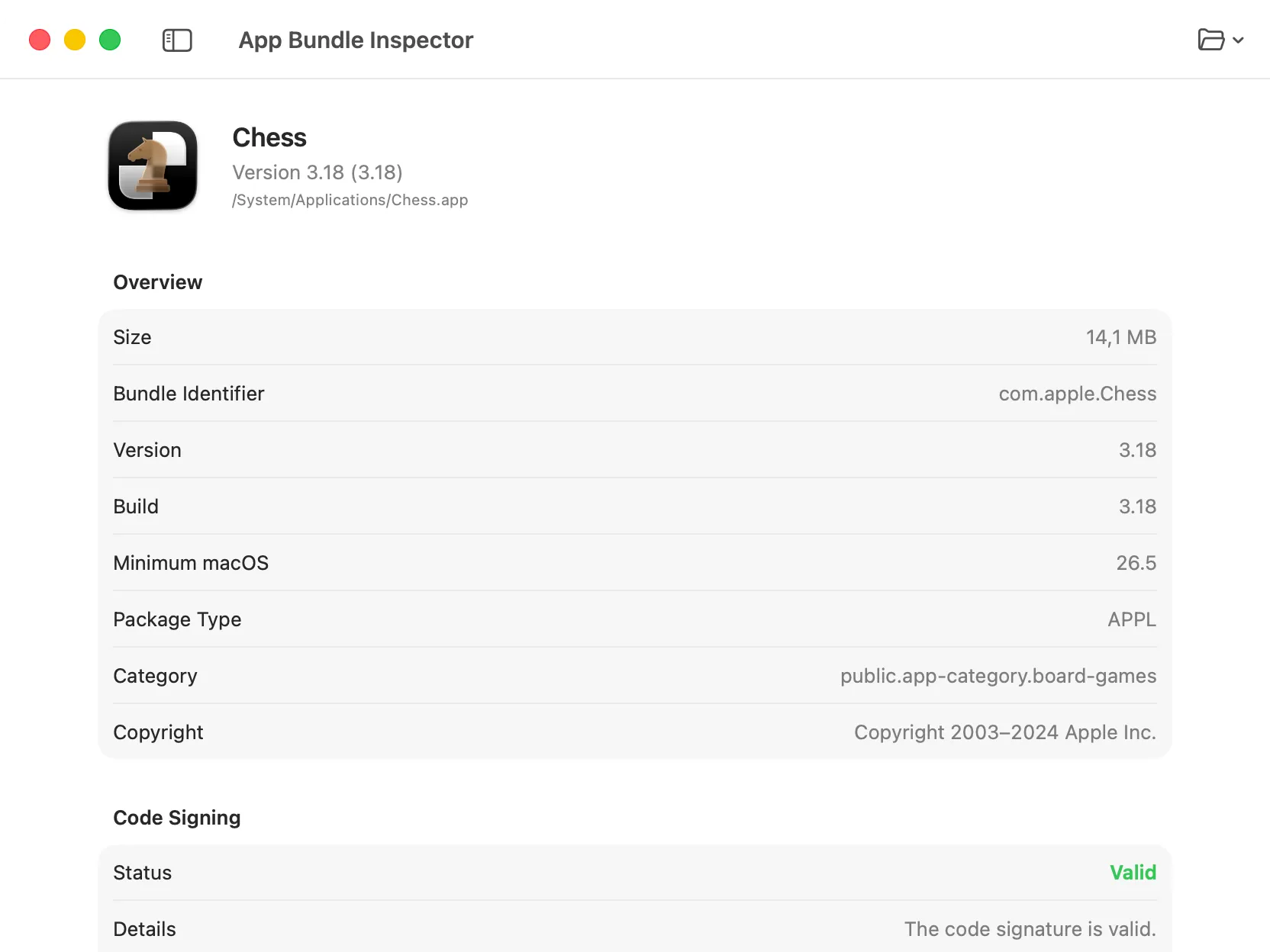
Inspecting an App
Section titled “Inspecting an App”- Open App Bundle Inspector.
- Drag a macOS app into the window or click Choose App.
- Wait for DevKnife to finish inspecting the bundle.
You can inspect an app from the Applications folder or another location on your Mac. Previously inspected apps are available from the Open menu for faster access.
App and Bundle Information
Section titled “App and Bundle Information”The inspector shows the app’s bundle identifier, version, build number, minimum macOS version, package type, localization information, and executable architectures when available.
The Bundle Size Breakdown groups the app’s files into its main executable, other executables, extensions and services, frameworks, resources, and other files. The Largest Files section helps you identify which individual files use the most space.
Libraries and Embedded Code
Section titled “Libraries and Embedded Code”The Libraries & Bundles section lists packaged frameworks and resource bundles, including their paths, versions, identifiers, and sizes when available.
The Embedded Code section shows app extensions, helper apps, login items, XPC services, frameworks, and other executable components found inside the bundle. Each component can include architecture, size, code-signing, and parent-signer details.
Privacy and Permissions
Section titled “Privacy and Permissions”The inspector collects privacy-related information from the app’s Info.plist, signed entitlements, and privacy manifests. Depending on the app, you can review:
- Usage descriptions for protected resources such as the camera, microphone, Bluetooth, or files.
- Declared capabilities derived from signed entitlements.
- Privacy manifests and their tracking declarations.
- Required-reason API categories and declared reasons.
- Collected data types, purposes, and tracking or user-linking declarations.
Privacy warnings highlight missing explanations, temporary sandbox exceptions, and other declarations that may need attention.
Code Signing and Entitlements
Section titled “Code Signing and Entitlements”The Code Signing section shows whether the app’s signature is valid, along with its signing identifier, Team ID, format, source, signing identity, hardened runtime status, and App Sandbox status when available.
The Entitlements section lists the values embedded in the app’s code signature. Embedded executable components are inspected separately so you can see whether their signer matches the parent app.
Mach-O Dependencies
Section titled “Mach-O Dependencies”The Mach-O Dependencies section lists the dynamic libraries declared by each executable in the app. Dependencies are marked as required or weak and classified as bundled, system, external, or unresolved.
Privacy
Section titled “Privacy”App bundles are inspected locally on your Mac. DevKnife does not upload the selected app or its inspection results to an external service.