

JWT Debugger
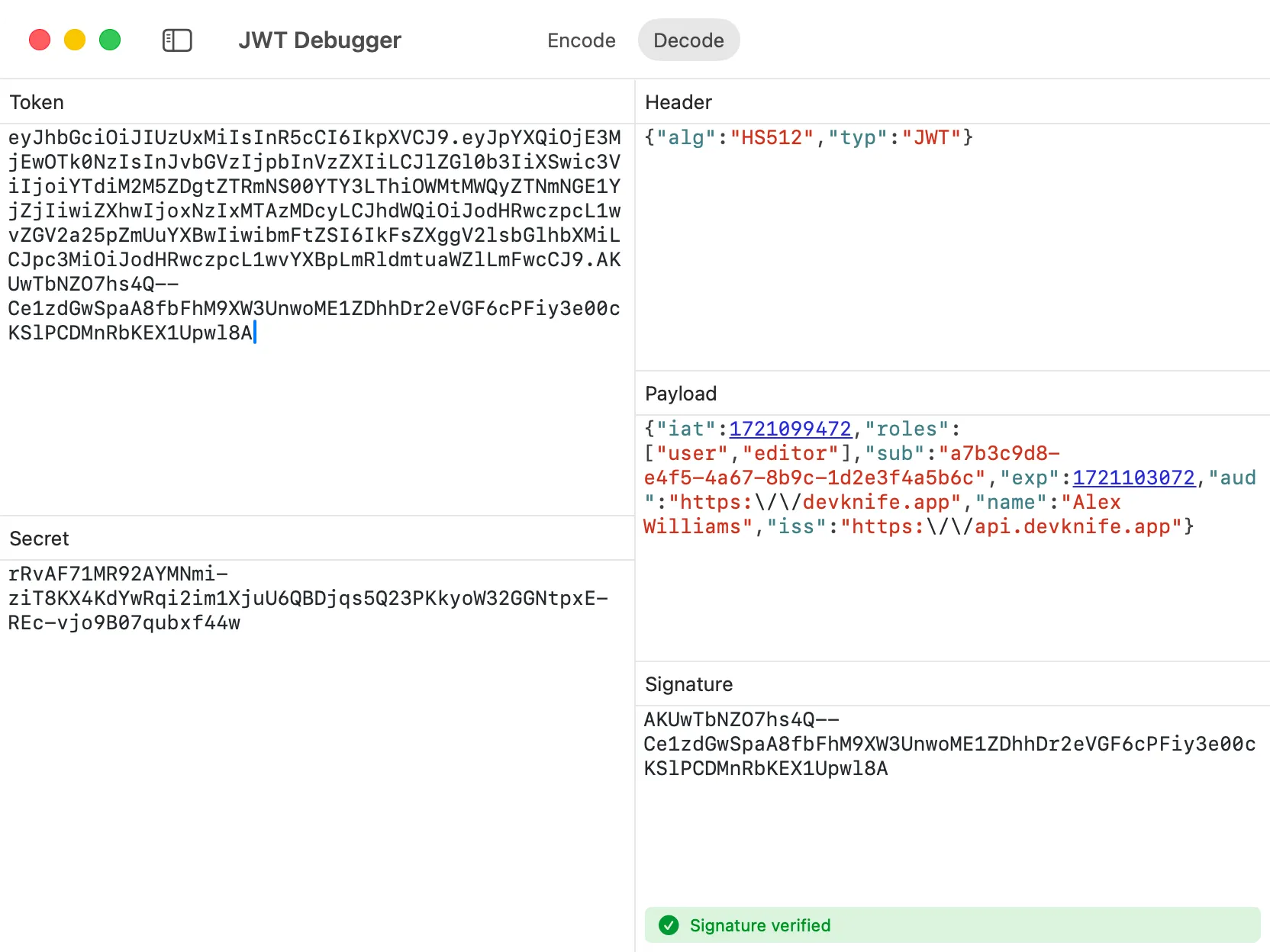
The JWT Debugger in DevKnife makes it easy to work with JSON Web Tokens right on your Mac. You can quickly decode a token to see its formatted header, payload, and signature, verify the signature with the right key material, or switch to encode mode to generate a new token from your own data. Everything runs fully offline, so your tokens never leave your computer.
Key Features
Section titled “Key Features”- Dual Mode Operation - Switch between Decode and Encode modes using the toolbar
- Algorithm Support - Full support for HMAC (
HS256,HS384,HS512), RSA (RS256,RS384,RS512), ECDSA (ES256,ES384,ES512), andnonealgorithms - Smart Key Inputs - Automatically switches between shared secret, private key, public key, or no key based on the token/header algorithm
- Interactive Timestamps - Click on
exp,iat, andnbftimestamp fields to open them in the Time Inspector - Live Validation - Real-time error checking for header, payload, and secret
- Formatted JSON Output - Decoded headers and payloads are formatted for easier reading
- Syntax Highlighting - Color-coded JSON for better readability
- Keychain Storage - JWT secrets and keys are stored securely in the macOS Keychain
- Offline Processing - All operations happen locally on your Mac
Decode Mode
Section titled “Decode Mode”Paste a JWT token to instantly see its decoded contents:
- Header - View the token’s algorithm and type as formatted JSON
- Payload - See all claims and data contained in the token as formatted JSON
- Signature Verification - Validate the token’s signature with a shared secret, public key, or certificate depending on the algorithm
Interactive Timestamp Fields
Section titled “Interactive Timestamp Fields”When decoding tokens, timestamp fields (exp, iat, nbf) appear as clickable links with a dashed underline. Click any timestamp to instantly open the Time Inspector with that Unix timestamp pre-loaded, making it easy to:
- Check when a token expires (
exp) - See when a token was issued (
iat) - Verify when a token becomes valid (
nbf)
Encode Mode
Section titled “Encode Mode”Create new JWT tokens by providing:
- Header - Define the algorithm and type
- Payload - Add your claims and data as JSON
- Signing Key - Provide a shared secret for HMAC algorithms, or a private key for RSA/ECDSA algorithms
The tool validates your inputs in real-time:
- Header validation - Ensures valid JSON with required
algfield - Payload validation - Checks for valid JSON structure
- Secret strength - Warns if the HMAC shared secret is too short for the selected algorithm
- HS256: Requires 256 bits (32+ characters)
- HS384: Requires 384 bits (48+ characters)
- HS512: Requires 512 bits (64+ characters)
- Private key validation - Checks that RSA and ECDSA private keys are valid PEM-encoded keys for the selected algorithm
Supported Algorithms
Section titled “Supported Algorithms”- HS256 - HMAC with SHA-256
- HS384 - HMAC with SHA-384
- HS512 - HMAC with SHA-512
- RS256 - RSA with SHA-256
- RS384 - RSA with SHA-384
- RS512 - RSA with SHA-512
- ES256 - ECDSA with P-256 and SHA-256
- ES384 - ECDSA with P-384 and SHA-384
- ES512 - ECDSA with P-521 and SHA-512
- none - Unsecured JWTs (no signature)
Privacy
Section titled “Privacy”The JWT Debugger runs entirely on your Mac. No tokens, secrets, keys, or data are ever transmitted to external servers or collected. JWT secrets and private/public keys are stored in the macOS Keychain, keeping your sensitive authentication data local and secure.
- Use the demo data that loads on first use to learn the tool
- Click timestamp fields in decoded tokens to inspect them in detail
- Ensure your shared secret meets the minimum length requirement for HMAC algorithms
- Use public keys or certificates when verifying RSA/ECDSA tokens, and private keys when signing them