

CSV Editor
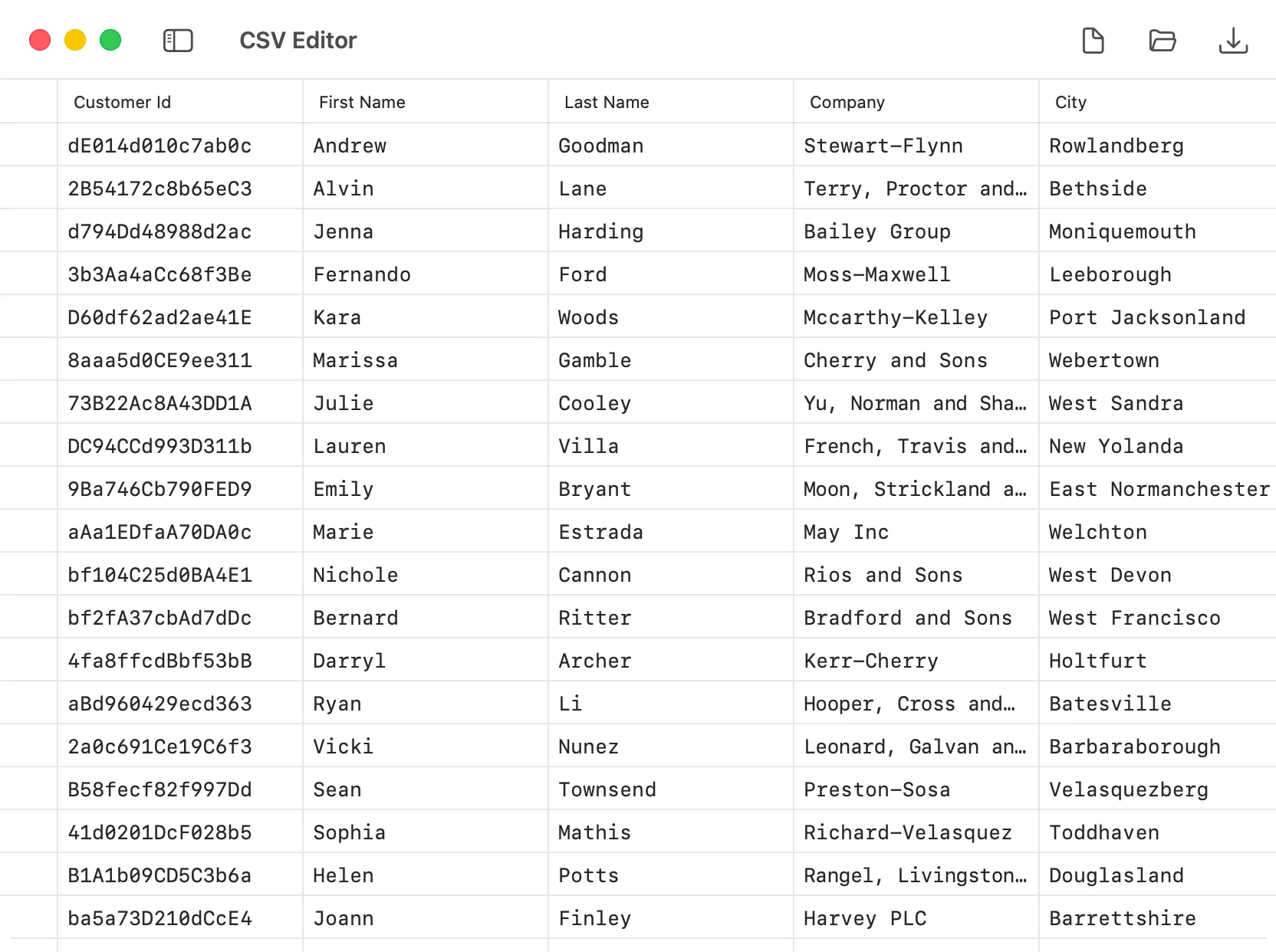
The CSV Editor in DevKnife gives you a fast, spreadsheet-like way to work with comma-separated values without opening Numbers, Excel, or an online tool. Open a file, edit cells directly, search values, adjust rows or columns, and save your changes back to disk.
Key Features
Section titled “Key Features”- Spreadsheet-like editing – work with CSV data in a native table view instead of raw plain text.
- Multiple cell selection – select single cells or ranges for copying, pasting, and clearing values.
- Keyboard navigation – move around the table with arrow keys, Tab, Shift-Tab, Enter, Escape, and common shortcuts.
- Copy and paste support – copy selected cells as tab-separated text and paste single values or multi-cell data from spreadsheets and other tools.
- File operations – create a new CSV file, open an existing file, save changes, and use Save As when needed.
- Row management – insert rows above or below the current row, append new rows, and delete rows from the context menu.
- Column management – insert columns on the left or right, rename columns, delete columns, and reorder columns directly in the table.
- Find in table – search cell values and jump between matches without including column headers in the results.
- Delimiter control – choose the delimiter used when saving, including comma, semicolon, and tab.
- Unsaved draft support – drafts are preserved per window, so you can leave the tool and come back without losing work.
- Dirty state tracking – DevKnife shows when the current document has unsaved changes.
Working with CSV Files
Section titled “Working with CSV Files”You can open CSV files directly from the toolbar or from the File menu. When you create a new file, DevKnife starts with a small blank sheet so you can begin editing immediately.
The editor is designed for practical CSV work that feels closer to a lightweight spreadsheet than a plain text editor:
- edit cell values in place
- start editing by typing into a selected cell
- move through the table with the keyboard
- select multiple cells and copy or paste ranges
- add or remove rows and columns as needed
- drag columns to reorder data
- search for values inside the table
- keep the structure readable even for larger files
Row and Column Actions
Section titled “Row and Column Actions”The CSV Editor includes context menus and direct table interactions for structural changes:
- Row actions are available from the table body and let you insert or delete rows.
- Column actions are available from the header and let you insert, rename, delete, or reorder columns.
This makes it possible to reshape CSV data without dropping down to raw text editing.
Selection, Copying, and Pasting
Section titled “Selection, Copying, and Pasting”You can select a single cell or a range of cells, then copy the selection to the clipboard. Copied ranges are exported as tab-separated text, so they can be pasted into spreadsheets, text editors, and other developer tools.
Pasting works in the other direction as well. DevKnife can paste a single value into a selected range, or paste multi-row and multi-column clipboard data into the table starting from the selected cell. If pasted data extends beyond the available columns, DevKnife keeps the CSV structure intact and skips the extra columns.
Finding Values
Section titled “Finding Values”Use Find to search across cell values in the current CSV document. Results jump directly to the matching cell, and Find Next / Find Previous move through matches in table order.
Column headers are not included in CSV search results.
Delimiters
Section titled “Delimiters”New CSV files use a comma delimiter by default. When saving, you can choose comma, semicolon, or tab from the toolbar delimiter menu, which makes it easier to work with files expected by different tools and regions.
Saving and Drafts
Section titled “Saving and Drafts”When you edit a CSV file, DevKnife tracks unsaved changes and lets you save them back to the original file or to a new location.
If you are working on a draft and switch to another DevKnife tool, the current CSV state is preserved for that window and restored when you return. This makes the CSV Editor suitable for quick edits as well as longer editing sessions.
Privacy
Section titled “Privacy”The CSV Editor works entirely offline on your Mac. Your CSV files are never uploaded or sent to external services.