
Certificate Inspector
The Certificate Inspector helps you check certificate validity, trust, ownership, fingerprints, and certificate chains. You can inspect a certificate presented by a remote server or open a certificate file stored on your Mac.
Remote Host
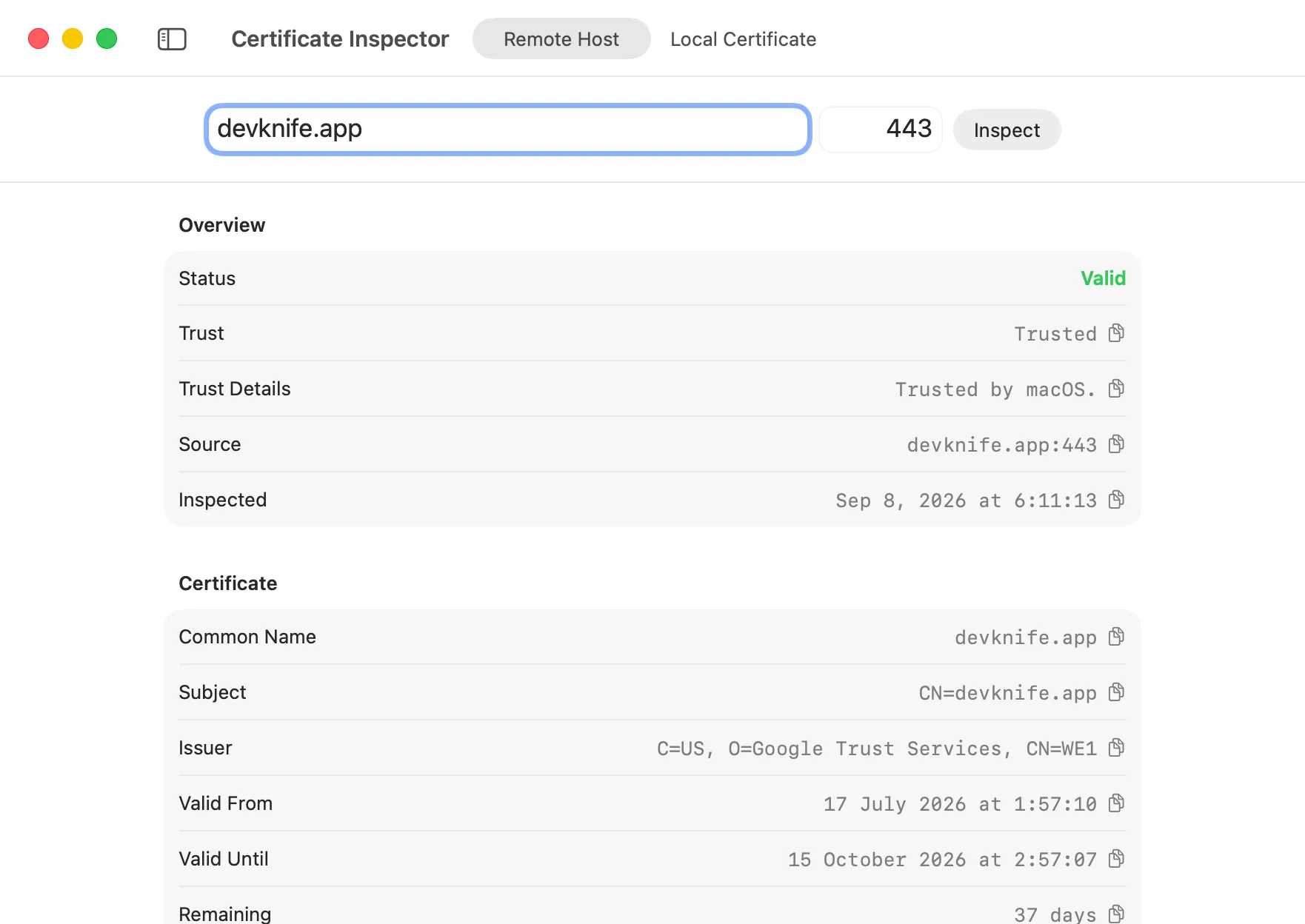
Section titled “Remote Host”Use Remote Host to inspect the TLS certificate presented by a server.
- Enter a hostname, such as
example.com. - Enter the TLS port. The default is
443. - Press Enter or click Inspect.
DevKnife opens a TLS connection to the host, captures the certificate chain, and evaluates it using the trust settings on your Mac. The remote check includes hostname validation, so a certificate issued for a different hostname is reported as not trusted.
The inspection stops after the TLS certificate exchange. DevKnife does not send an HTTP request to the server.
Local Certificate
Section titled “Local Certificate”Use Local Certificate to inspect a certificate file without connecting to its server.
- Select Local Certificate in the toolbar.
- Click Choose Certificate.
- Select a PEM, CER, CRT, or DER certificate file.
A PEM file can contain more than one certificate. When a chain is present, DevKnife displays each certificate in the order provided by the file.
Local inspection checks certificate dates and whether macOS trusts the supplied certificate or chain. It cannot check whether the certificate matches a hostname because no hostname is provided in this mode.
Understanding the Results
Section titled “Understanding the Results”The overview shows the certificate’s overall status and macOS trust result.
- Valid: The certificate is within its validity period and trusted by macOS.
- Expiring Soon: The certificate expires within 30 days.
- Expired: The certificate’s expiration date has passed.
- Not Valid Yet: The certificate’s validity period has not started.
- Not Trusted: macOS could not establish trust, the hostname does not match, or another trust requirement failed.
Each certificate section can include:
- Common name, subject, and issuer.
- Valid-from and valid-until dates.
- Remaining days before expiration.
- Subject alternative names.
- Serial number and SHA-256 fingerprint.
- Public-key type and size.
- Signature algorithm.
The first section is the leaf certificate presented by the server or found first in the file. Additional sections show intermediate and root certificates in the available chain.
Privacy and Network Access
Section titled “Privacy and Network Access”Local certificate files are inspected entirely on your Mac. Remote inspection connects directly to the hostname and port you enter. No certificate data is sent to DevKnife or another analysis service.