

Hex Viewer
The Hex Viewer tool lets you examine files at the lowest level by displaying their raw binary content in both hexadecimal and ASCII formats.
How it Works
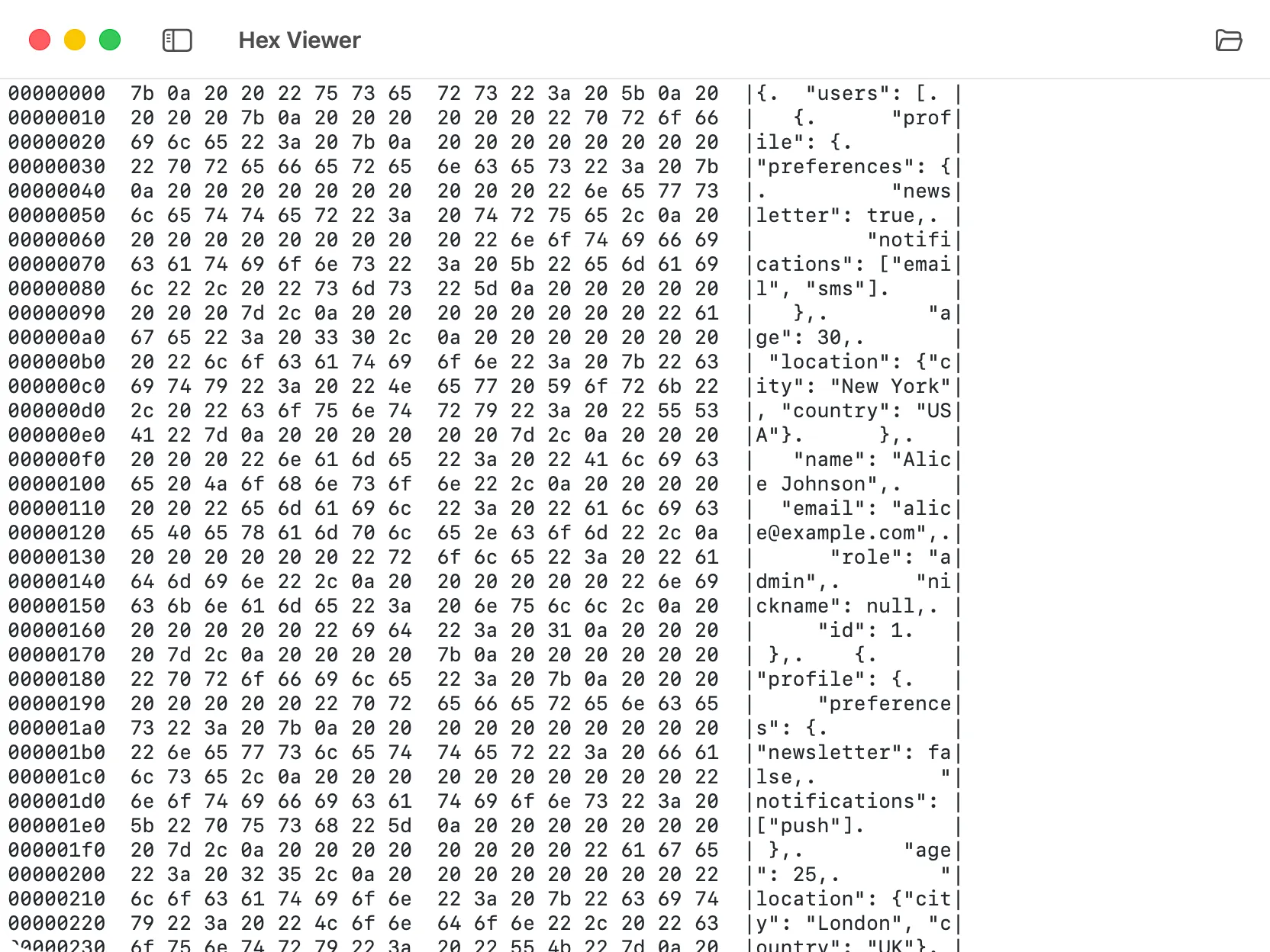
Section titled “How it Works”Hex Viewer reads any file and displays its contents byte by byte. Each byte is shown as a two-digit hexadecimal value alongside its ASCII character representation, making it easy to understand the structure and encoding of binary files.
Using the Tool
Section titled “Using the Tool”You can open a file using the “Browse File” button or by dropping a file directly into the viewer. The tool will display the file contents in a traditional hex dump format.
Display Format
Section titled “Display Format”The viewer presents data in a clear, structured layout:
- Offset Column: Shows the byte position in the file (in hexadecimal).
- Hex Values: Displays 16 bytes per row in hexadecimal format, grouped for readability.
- ASCII Column: Shows the ASCII representation of each byte. Non-printable characters appear as dots (
.).
What You Can Use It For
Section titled “What You Can Use It For”The Hex Viewer is particularly useful for:
- Debugging File Formats: Examine file headers, magic numbers, and structure to understand or debug binary formats.
- Encoding Investigation: Verify text encoding, line endings, and byte order marks (BOM).
- Binary Protocol Analysis: Inspect network packets or protocol dumps at the byte level.
- File Corruption Detection: Compare expected byte sequences with actual file contents.
- Reverse Engineering: Analyze unknown file formats or examine compiled binaries.