 Simon
Simon
·
Dev Log DevKnife Update 1.8.0
DevKnife 1.8.0 introduces a powerful quick search feature with fuzzy matching to navigate between tools instantly, plus enhancements to the SVG Editor and performance improvements.
Read MoreVersion 1.17.0 adds a new network tool to DevKnife and makes a few parts of the app easier to use.
The headline addition is DNS Inspector, which combines regular DNS record lookups with propagation checks across multiple public resolvers. This release also adds favorite tools, improves the WHOIS interface, and gives the DevKnife community a more visible place inside the app.
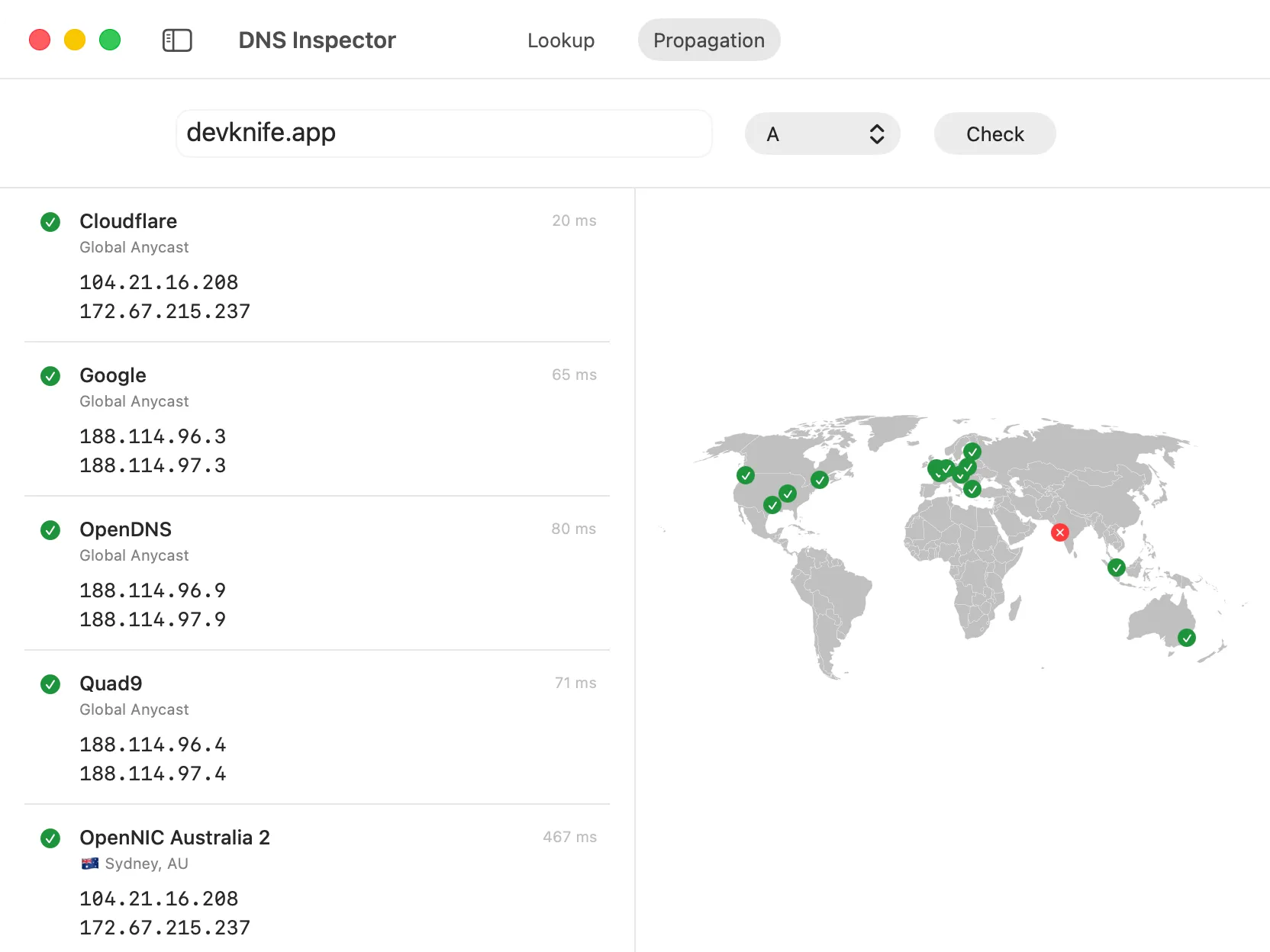
DNS propagation results from multiple public resolvers, shown alongside their listed locations.
DNS Inspector is a new tool for looking up public DNS records for domains and hostnames.
The tool has two modes: Lookup and Propagation.
Lookup uses the DNS resolver configured on your Mac. You can request all common records at once or select a specific type, including A, AAAA, CNAME, MX, TXT, NS, SOA, CAA, and PTR.
Results are grouped by record type and show the record name, value, and TTL. Individual values can be copied directly, or you can copy the complete result from the toolbar.
Propagation checks one record type against multiple public DNS resolvers. Each result shows what the resolver returned and how long the request took. Resolvers with location information are also shown on a world map, making it easier to compare the results visually.
This can be useful after changing an A, CNAME, MX, TXT, or another public DNS record. If some resolvers still return an older value, their cached records may not have expired yet.
The queries are sent directly from your Mac to each resolver. The map gives you a quick overview of where the listed resolvers are located and whether they returned a record.
The resolver list is maintained in the public DevKnife repository. If a resolver should be added, updated, or removed, you can open an issue there.
Read more about DNS Inspector in the docs.
You can now mark tools as favorites from the dashboard.
Click the star on a tool card and it will appear in a separate Favorites section at the top of the dashboard. Favorite tools are also grouped together in the sidebar, so the modules you use most often stay close at hand.
Click the star again whenever you want to remove a tool from your favorites.
That is the focus of DevKnife 1.17.0. DNS Inspector adds a substantial new network tool, while favorites make it easier to arrange DevKnife around the modules you use most.
DevKnife 1.8.0 introduces a powerful quick search feature with fuzzy matching to navigate between tools instantly, plus enhancements to the SVG Editor and performance improvements.
Read More
Fast, private, and built for macOS.