 Simon
Simon
·
Dev Log DevKnife Update 1.9.0
DevKnife 1.9.0 introduces the new Color Palettes tool, adds palette saving from Color Inspector, and improves the Quick Switch workflow.
Read MoreVersion 1.15.0 adds two new tools to DevKnife and improves several existing editing workflows.
The headline additions are the new Ruler tool and the new HTML Editor. This release also revamps the CSV Editor with a much better table editing experience, and adds Find support across more modules.
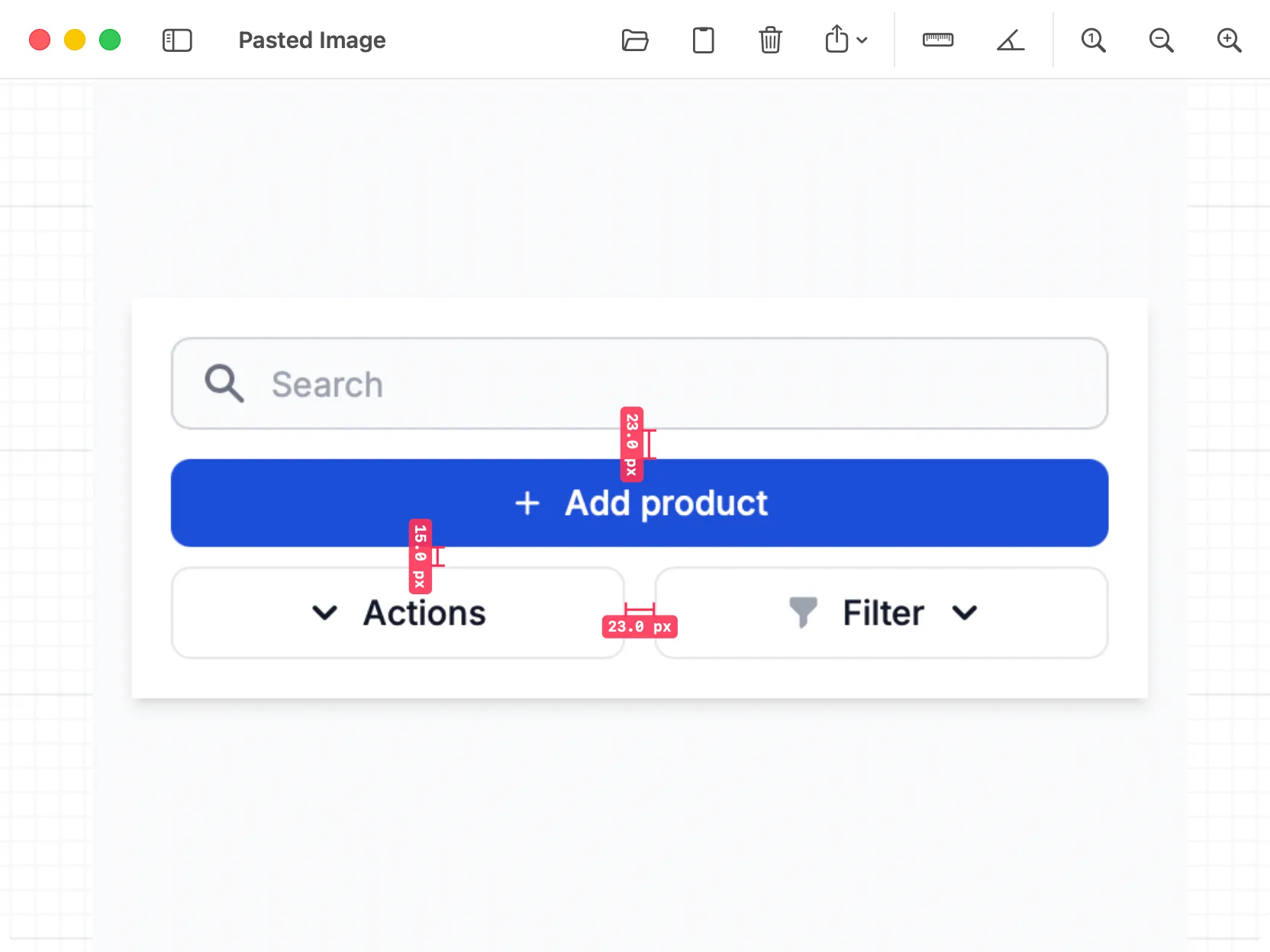
Ruler measuring distances on top of an image.
Ruler is a new image measurement tool for screenshots, mockups, diagrams, and other visual assets.
You can open, drop, or paste an image, then place distance and angle measurements directly on the canvas. Distance measurements are shown in pixels, while angle measurements are shown in degrees.
Measurements can be selected, moved, recolored, adjusted by dragging their points, or deleted. When you are done, you can export the whole image or just the visible area with the measurement overlays included.
It is meant for the practical cases where you need to check spacing, alignment, or an angle quickly without opening a full image editor.
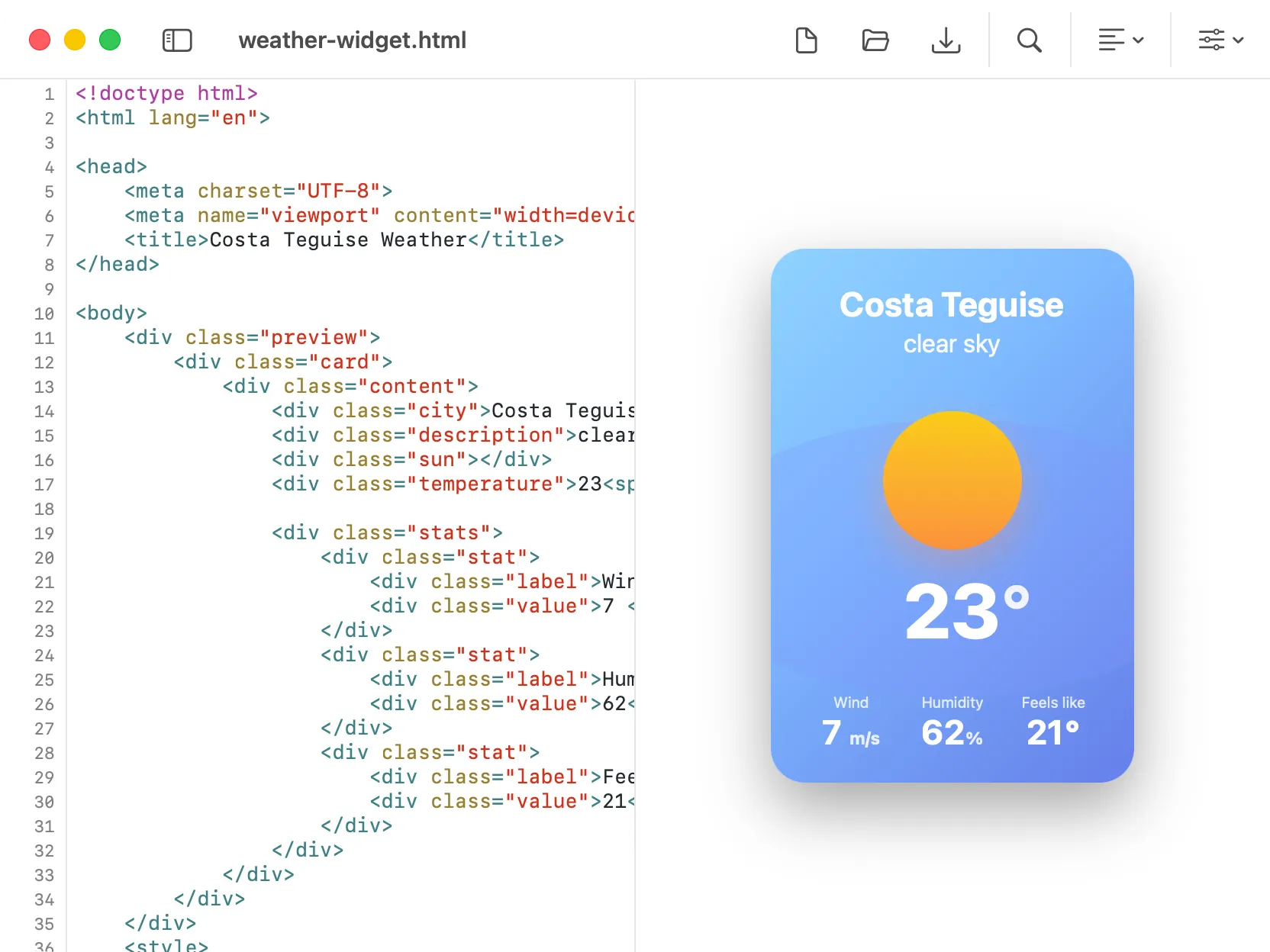
HTML Editor with syntax highlighting, formatting actions, and an optional live preview.
DevKnife now includes a dedicated HTML Editor.
The tool gives you a focused editor for writing and cleaning up HTML snippets or small files. It includes syntax highlighting, file open and save support, formatting, minification, and a live preview panel for checking the rendered output.
This can also be handy if you do not have a full developer editor or if your editor is terminal-based. I use Neovim myself, and while it is great for editing, sometimes you just want a quick scratchpad for tinkering with HTML and JavaScript while seeing the result alongside it.
The preview panel can be shown or hidden, so the tool works both as a simple code editor and as a side-by-side editing workspace.
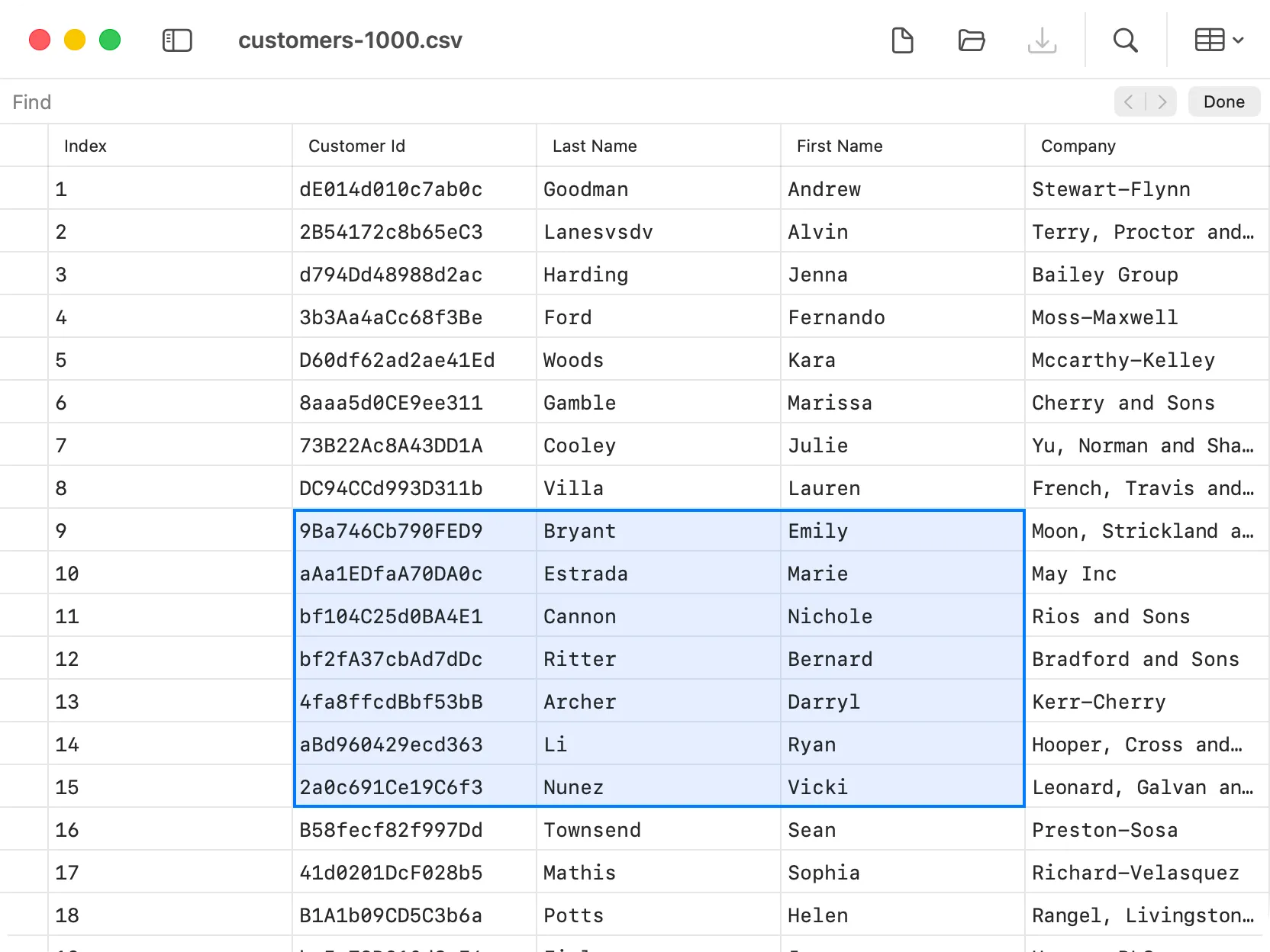
CSV Editor with a more capable table editing workflow.
The CSV Editor has been reworked with a stronger editing experience.
This update adds multiple cell selection, improved keyboard navigation, column reordering, and delimiter switching. Together, these changes make CSV editing feel much closer to working in a spreadsheet-style table while still keeping the tool lightweight and focused.
It is especially useful for quickly inspecting data files, cleaning up rows and columns, or making small edits without leaving DevKnife.
Find support has been added to more modules in this release.
You can now use Find in:
This makes larger documents easier to navigate and brings these tools closer to the behavior you expect from native editors.
That’s everything in 1.15.0. The main theme of this release is better visual and text editing inside DevKnife: measuring images, editing HTML, working with CSV tables, and finding content across more tools.
The new Ruler and HTML Editor expand what DevKnife can handle directly, while the CSV and Find improvements make existing workflows feel more complete.
DevKnife 1.9.0 introduces the new Color Palettes tool, adds palette saving from Color Inspector, and improves the Quick Switch workflow.
Read More
Fast, private, and built for macOS.