 Simon
Simon
·
Guide How to Check an SSL Certificate on Mac
Learn how to check SSL certificate details on a Mac using online tools, Terminal commands, or DevKnife's native Certificate Inspector.
Read MoreVersion 1.13.0 is a broader workflow update. The headline addition is a brand new CSV Editor, but this release also improves how DevKnife works with files across the system and adds a number of smaller refinements to existing tools.
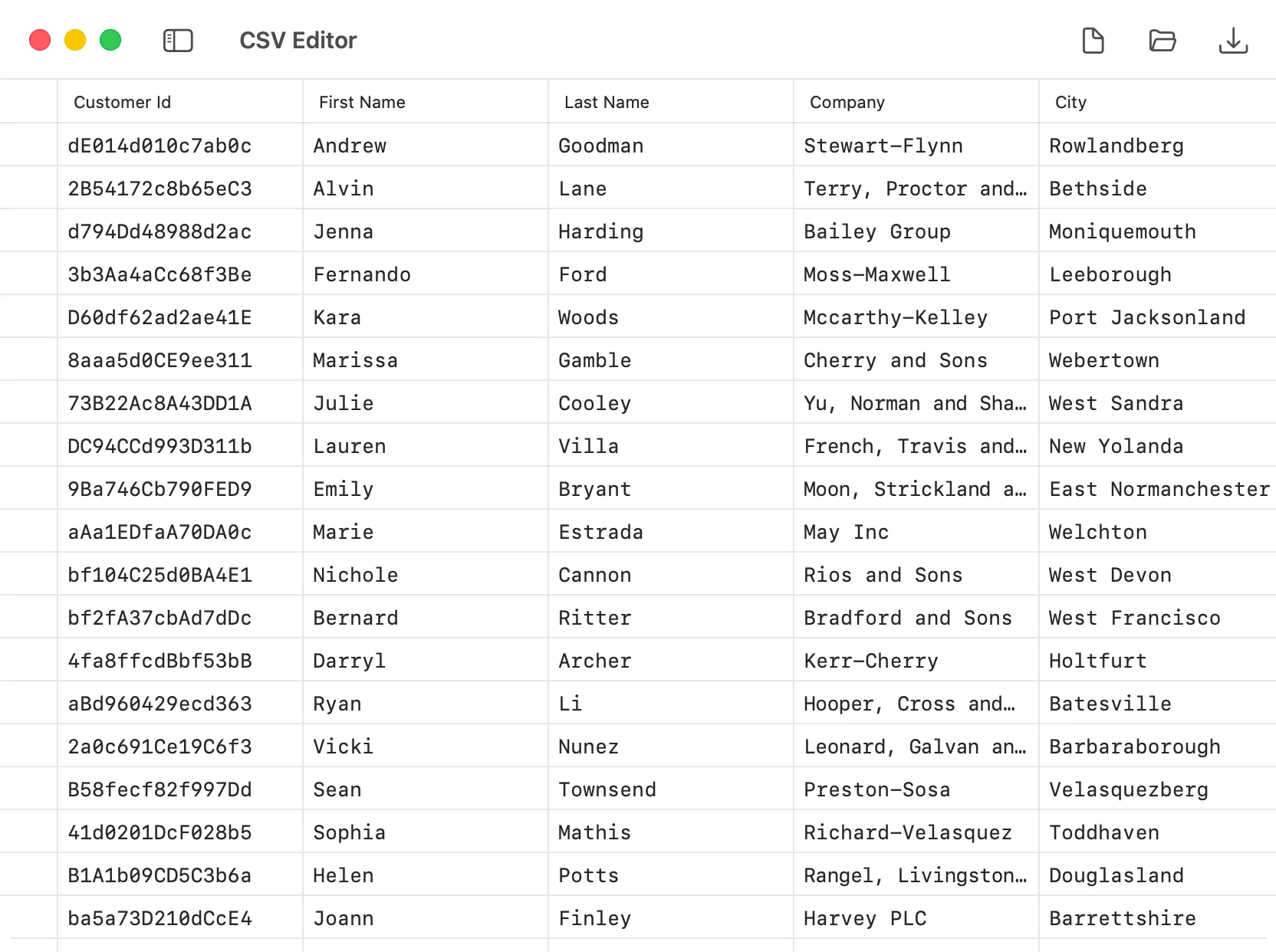
The biggest new feature in this release is the new CSV Editor.
DevKnife can now open and edit CSV files in a native table view, making it much more practical to inspect structured data without switching to a spreadsheet app. You can edit cells directly, save changes back to disk, and work with rows and columns in a more natural way than raw text editing.
The CSV Editor also includes structural editing tools such as:
This release also expands how DevKnife fits into the rest of macOS.
Quick Look support has been added for several file types:
That means you can preview those files directly in Finder without fully opening them first.
DevKnife already supported opening JSON files from Finder, and this release extends that file-opening workflow to Markdown, HTTP Client (.http), and CSV files as well. This makes the app behave more naturally as a file-based tool instead of only a scratchpad-style utility.
Two existing tools also received meaningful upgrades.
IndexNow now supports multiple website profiles. This makes it easier to manage more than one site from the same tool, each with its own sitemap URL and API key, without repeatedly replacing the same settings.
Time Inspector now lets you reorder saved time zones. This is a small change, but it makes the tool more comfortable to use when you rely on the same set of locations every day and want them in your own preferred order.
This release also includes a range of smaller changes across the app:
That’s everything in 1.13.0. The new CSV Editor is the biggest addition, but the broader theme of this release is making DevKnife work more naturally with real files and day-to-day workflows across macOS.
Learn how to check SSL certificate details on a Mac using online tools, Terminal commands, or DevKnife's native Certificate Inspector.
Read More
Fast, private, and built for macOS.