 Simon
Simon
·
Guide How to Open JSON Files on Mac
Learn how to open JSON files on your Mac using built-in tools, online viewers, browser extensions, and dedicated apps like DevKnife.
Read MoreVersion 1.14.0 adds two new tools to DevKnife and expands the Quick Look extension into a much more useful source-code previewer.
The headline additions are Cron Inspector and URL Editor. This release also adds syntax-highlighted Quick Look previews for many programming languages, makes the main sidebar remember its state between app launches, and includes a few smaller polish updates across the app.
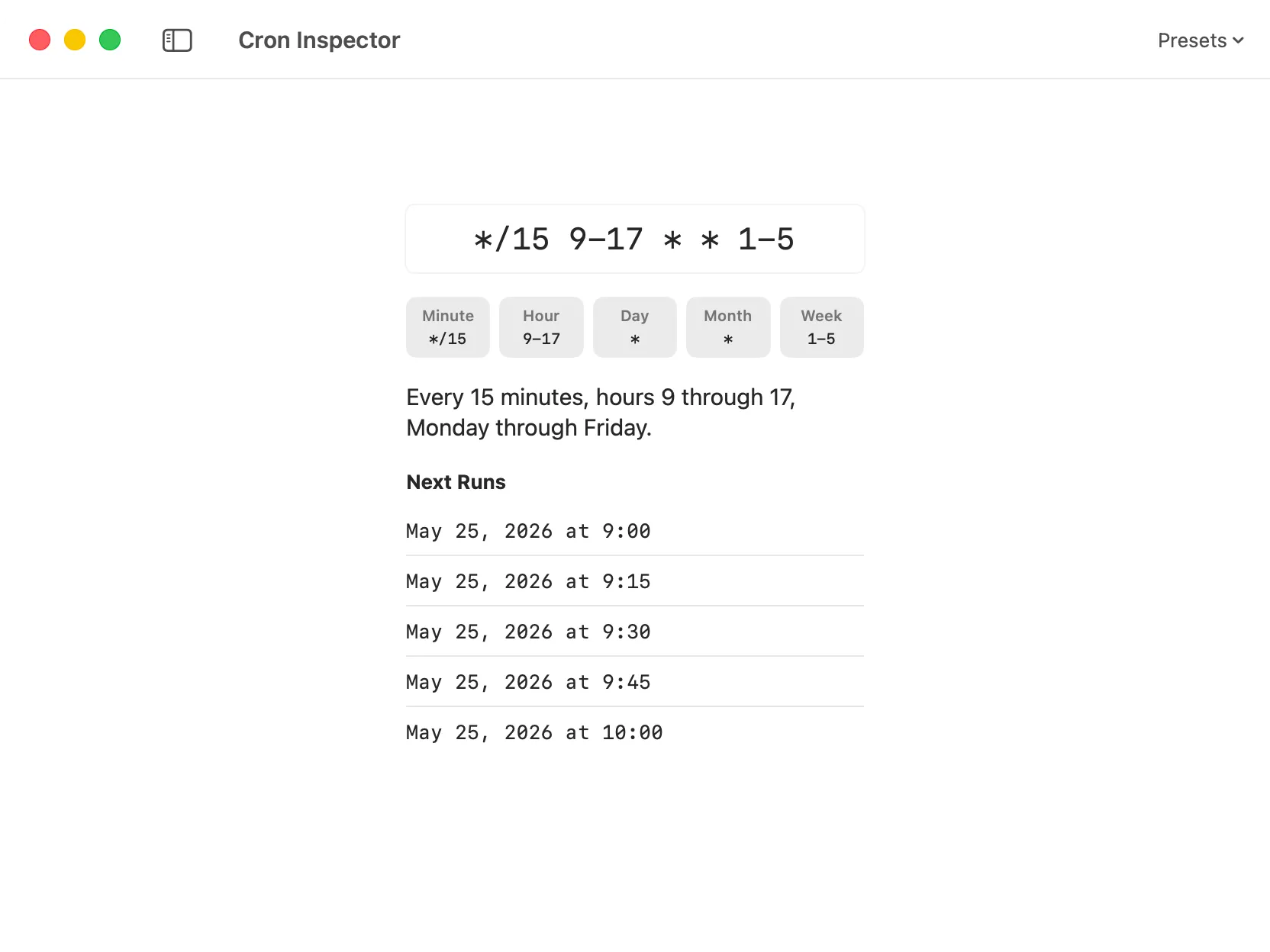
Cron Inspector showing a cron expression broken down into parts, a plain-language summary, and a preview of the next run dates.
Cron Inspector is a new tool for understanding standard five-field cron expressions.
You can paste or type an expression and DevKnife will break it down into readable parts, show a plain-language summary, and preview the next run dates. It is designed for the common moment where you need to check whether a schedule does what you think it does before adding it to a server, script, CI job, or automation workflow.
The tool also includes presets for common schedules, such as hourly, daily, weekdays, weekly, and monthly jobs.
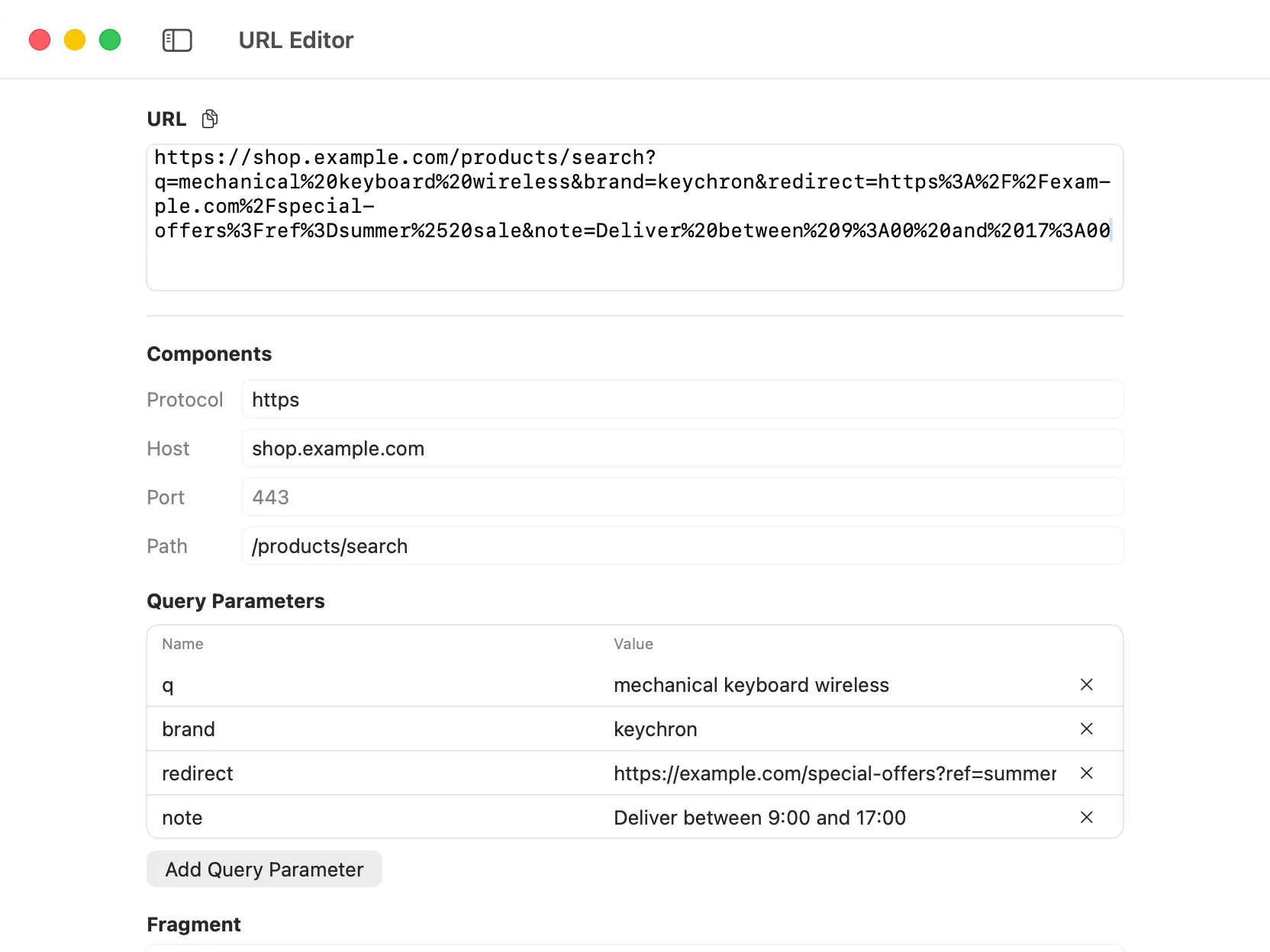
URL Editor showing a URL broken down into its components, with editable fields for each part and a live preview of the full URL.
URL Editor is another new utility in this release.
It parses a URL into editable components, including protocol, host, port, path, query parameters, and fragment. You can edit the parts directly and DevKnife will rebuild the URL for you.
This is especially useful when working with long URLs, debugging query parameters, or cleaning up links without manually editing a single dense string.
The URL Editor also remembers its value per window, so you can switch away from the module or relaunch the app without losing the URL you were working on.
Quick Look support has been expanded significantly in 1.14.0.
DevKnife can now preview many source-code files directly from Finder with syntax highlighting, without opening a full editor first.
Added Quick Look support for Assembly, C, C#, C++, Clojure, CSS/SCSS/Sass/Less, Dart, Delphi/Object Pascal, Elixir, Erlang, Fortran, Go, Haskell, Java, JavaScript, Kotlin, Lua, Perl, PHP, Python, R, Ruby, Rust, Scala, Shell Script, SQL, Swift, TypeScript, Visual Basic, and Zig source files.
This builds on the file preview work from previous releases and makes DevKnife more useful as a lightweight companion for inspecting project files.
This release also includes a few smaller changes:
That’s everything in 1.14.0. The two new tools are small by design, but they cover common developer tasks that usually send you to a browser or a one-off script.
Together with the expanded Quick Look support, this release continues the direction of making DevKnife feel more useful across everyday macOS workflows, not only inside the app window.
Learn how to open JSON files on your Mac using built-in tools, online viewers, browser extensions, and dedicated apps like DevKnife.
Read More
Fast, private, and built for macOS.