 Simon
Simon
·
Guide How to Check an SSL Certificate on Mac
Learn how to check SSL certificate details on a Mac using online tools, Terminal commands, or DevKnife's native Certificate Inspector.
Read MoreIf you work with APIs, logs, or databases on a Mac, you run into Unix timestamps constantly: 10-digit numbers like 1732000000 that mean something to machines and nothing to humans until you convert them.
The good news is that macOS can convert them out of the box, no install required. This guide covers how to do it in the Terminal — both directions, plus milliseconds and UTC — and then a faster option for when you do this many times a day.
A Unix timestamp is the number of seconds that have passed since midnight UTC on January 1, 1970 (the “Unix epoch”). So 1732000000 is just “this many seconds after that moment.”
Two things trip people up:
1732000000) is in seconds. A 13-digit number (1732000000123) is in milliseconds — common in JavaScript and many APIs. You have to divide milliseconds by 1000 before converting.macOS uses the BSD version of the date command, so the flags differ from Linux. Here’s everything you’ll typically need.
Timestamp → human-readable date (in your local time):
date -r 1732000000The -r flag tells date to treat the number as a Unix timestamp.
Show it in UTC instead of local time:
date -u -r 1732000000This is the most common gotcha — date -r prints local time by default, so add -u when you need to match a server or log that records UTC.
Get the current timestamp (handy for testing):
date +%sDate → timestamp (the reverse direction). On macOS you pass the input format with -f and use -j so it doesn’t try to change your system clock:
date -j -f "%Y-%m-%d %H:%M:%S" "2025-01-01 00:00:00" +%sMilliseconds (13-digit) timestamps. Divide by 1000 first, then convert:
date -r $((1732000000123 / 1000))(You lose the sub-second part, which is usually fine for reading a date.)
Custom output format. Append a +"..." format string:
date -r 1732000000 +"%Y-%m-%d %H:%M:%S"The date command is reliable and completely local, which is great. The friction shows up when you do this repeatedly: you have to remember the non-obvious flags (-r, -j -f, -u), switch to a Terminal window, and run a separate command for the reverse direction or each time zone. For a one-off check that’s fine; for the tenth conversion of the day it adds up.
If you convert timestamps often, a dedicated tool removes the flag-remembering and window-switching. DevKnife’s Time Inspector (added in v1.4.0) does the conversion both ways in one place.
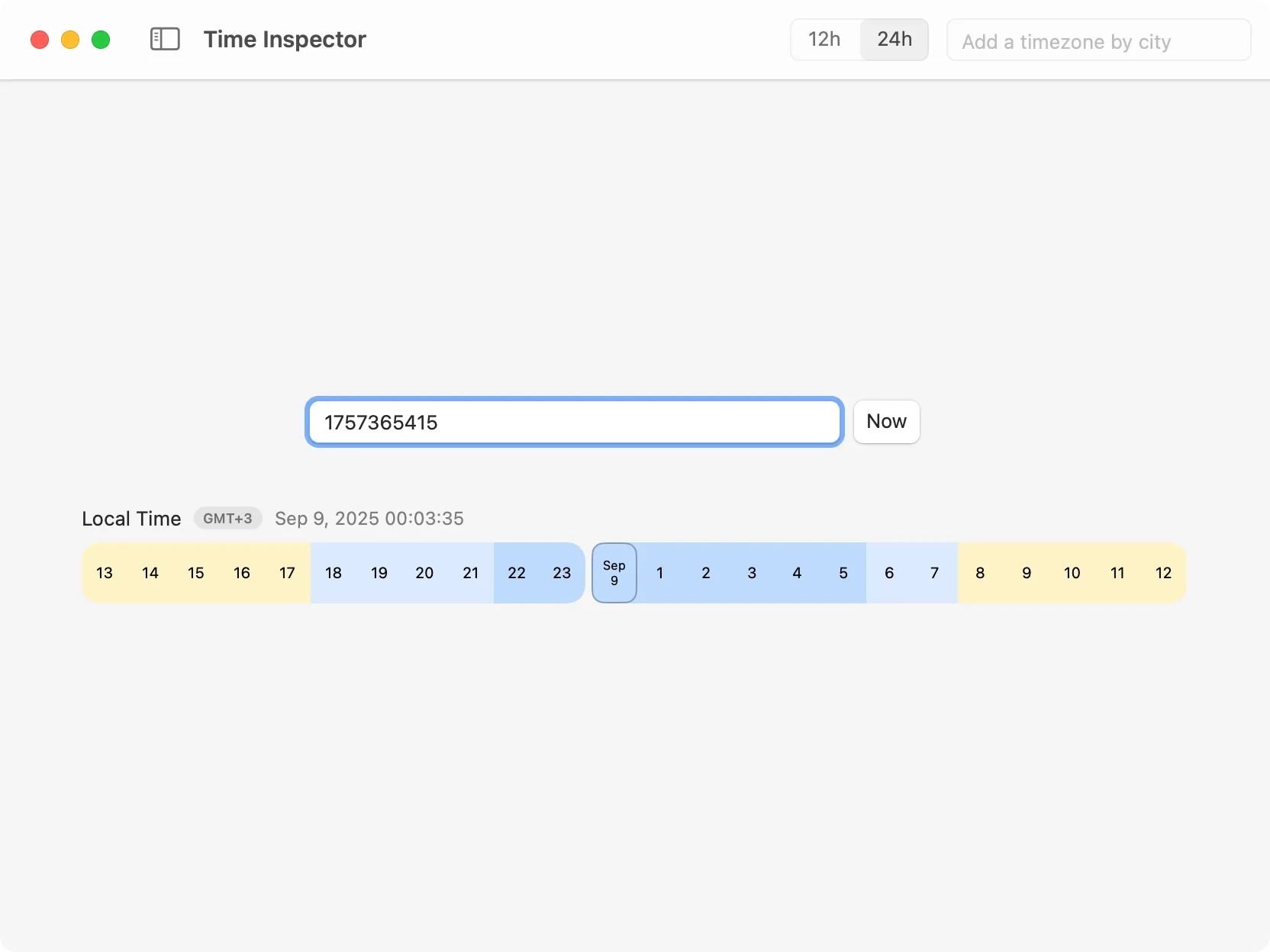
Time Inspector converting a Unix timestamp to a human-readable date.
You paste a timestamp and immediately see the date; type a date and you get the timestamp back. It handles both seconds and milliseconds, and you reach it from a system-wide shortcut so you don’t have to leave what you’re doing.
The part Terminal makes painful is seeing one moment across several time zones at once. Time Inspector shows your converted timestamp in multiple zones together and lets you add and save zones by city.
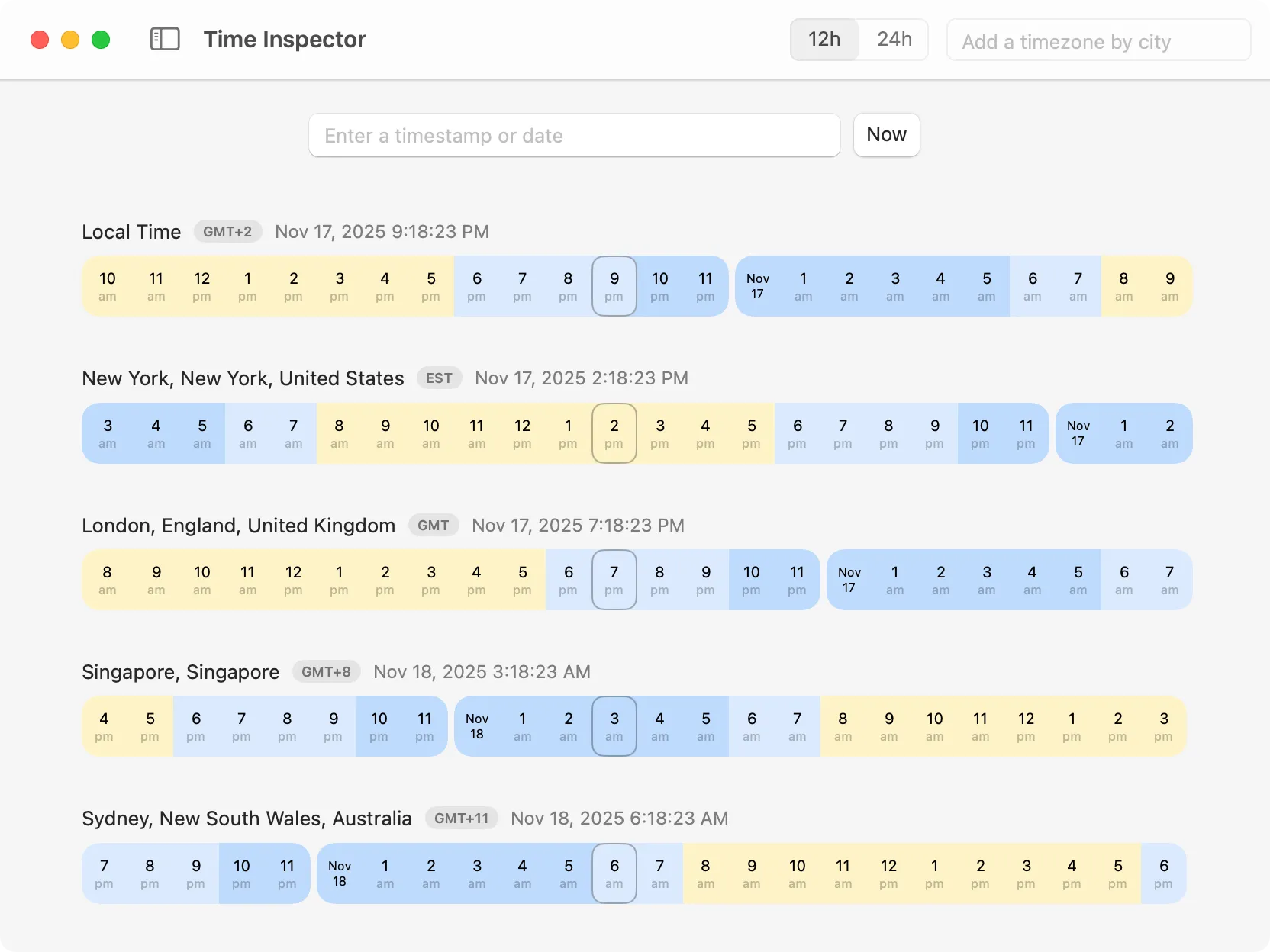
Convert between timestamps and dates, compare multiple time zones, and see a 24‑hour timeline at a glance.
Because DevKnife is a native app, the conversion happens entirely on your Mac — a small bonus when you’re pasting values straight from production logs.
For an occasional conversion, the Terminal is all you need:
date -r 1732000000 — timestamp to local datedate -u -r 1732000000 — timestamp to UTCdate +%s — current timestampdate -j -f "%Y-%m-%d %H:%M:%S" "2025-01-01 00:00:00" +%s — date to timestampThat covers what most timestamp conversions need on macOS. When you find yourself doing it all day or juggling several time zones, that’s the point where a dedicated tool like DevKnife’s Time Inspector starts to pay off.
Learn how to check SSL certificate details on a Mac using online tools, Terminal commands, or DevKnife's native Certificate Inspector.
Read More
Fast, private, and built for macOS.