 Simon
Simon
·
Dev Log DevKnife Update 1.14.0
DevKnife 1.14.0 adds Cron Inspector, URL Editor, source-code Quick Look previews, and several workflow refinements.
Read MoreVersion 1.11.0 is a focused JSON Editor release. This update rebuilds a large part of the JSON workflow to make working with bigger files feel smoother, adds a proper query workspace, and introduces direct value editing from the tree view.
The main goal of this update was performance. The JSON module has been reworked to behave better with large documents, reduce unnecessary UI churn, and make preview updates feel more reliable.
That includes improvements to how the tree preview refreshes, how file loads are handled, and how state is restored when you return to the module.
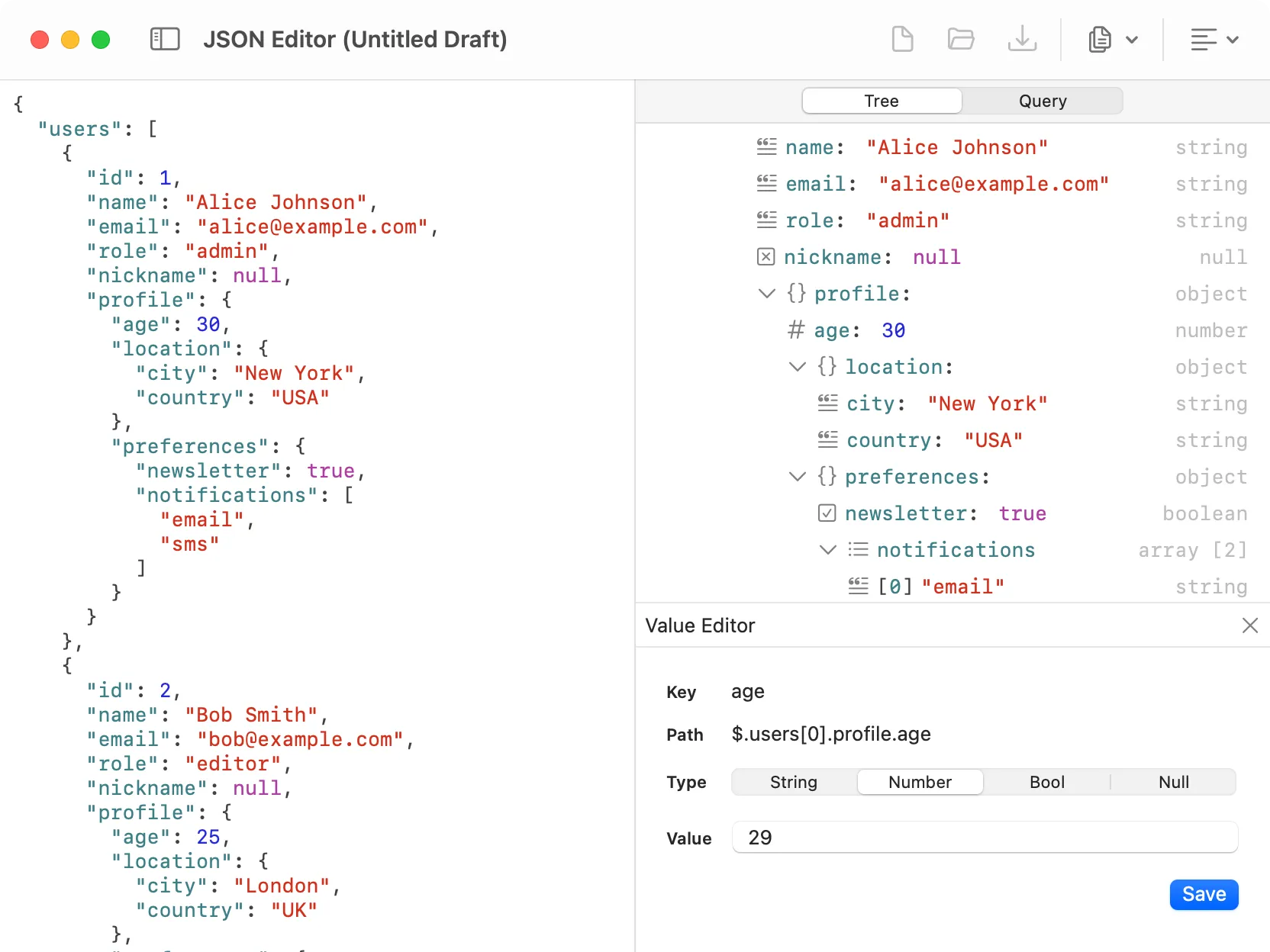
The JSON tree sidebar with the new value editor for editing a selected node.
The JSON sidebar now has two dedicated tabs:
This makes the JSON Editor feel more like a workspace instead of a single preview panel, and it also sets up the module for future expansion.
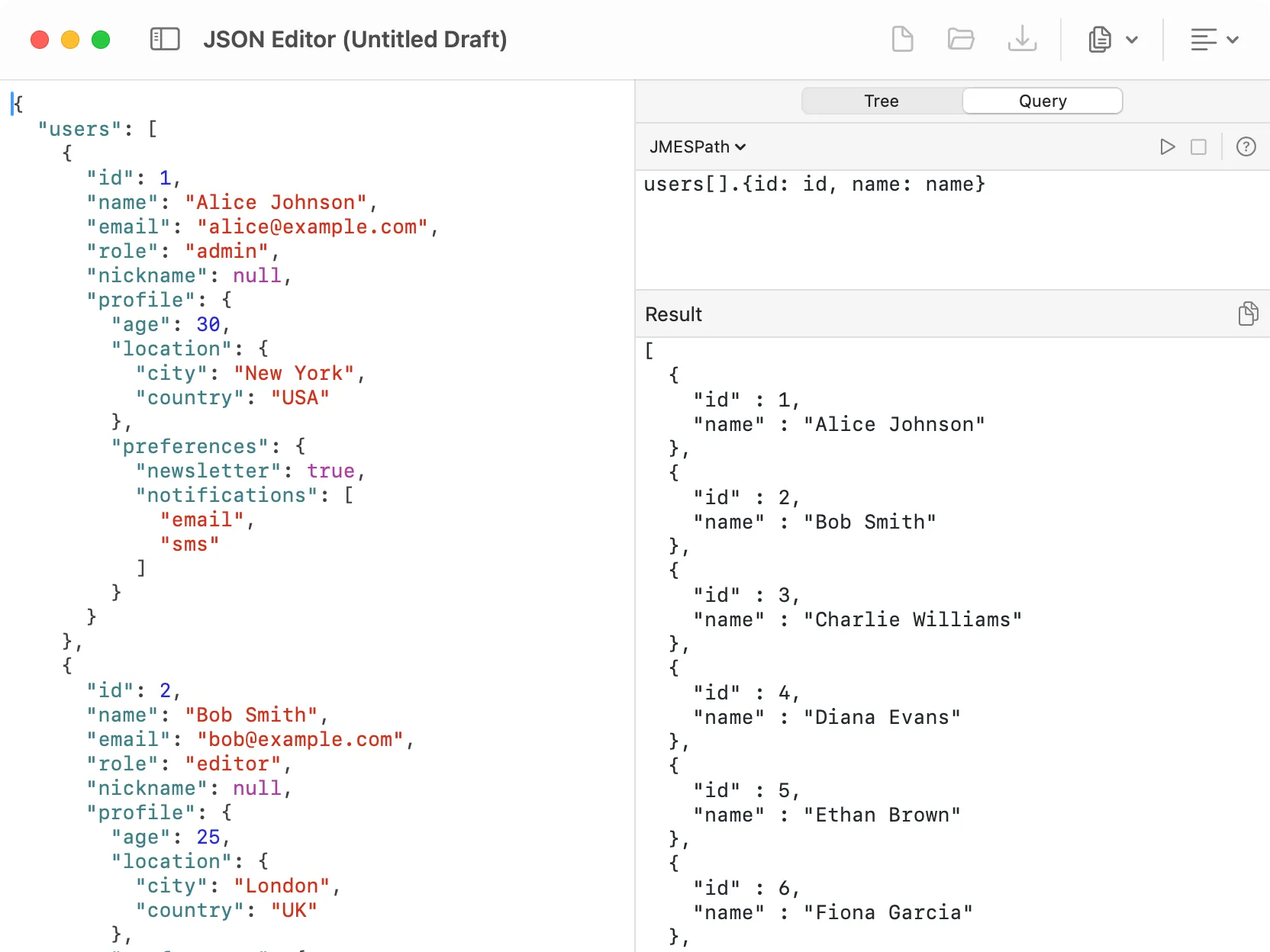
Running a JMESPath query in the new JSON query sidebar.
The Query tab now supports both JSONPath and JMESPath.
JSONPath is still there for match-style navigation, while JMESPath adds a more transformation-oriented way to work with JSON. You can switch between engines, and DevKnife remembers the selected engine and query text per window.
The tree view now includes a dedicated value editor for primitive values.
You can inspect a selected node and edit strings, numbers, booleans, and null values directly from the sidebar. This makes small changes much faster than editing raw JSON by hand, especially in large or deeply nested documents.
There is also one non-JSON fix in this release:
That’s everything in 1.11.0. This release is all about making the JSON Editor faster, more capable, and more comfortable to use for real files.
If you work with large JSON documents regularly, this update should feel noticeably better right away.
DevKnife 1.14.0 adds Cron Inspector, URL Editor, source-code Quick Look previews, and several workflow refinements.
Read More
Fast, private, and built for macOS.