 Simon
Simon
·
Guide How to Convert YAML to JSON on Mac
Learn how to convert YAML to JSON and back on macOS, why the two formats are used in different places, and how to do it instantly and locally with DevKnife.
Read MoreIn version 1.1.0 of DevKnife, the Domain Whois tool was improved with support for RDAP (Registration Data Access Protocol).
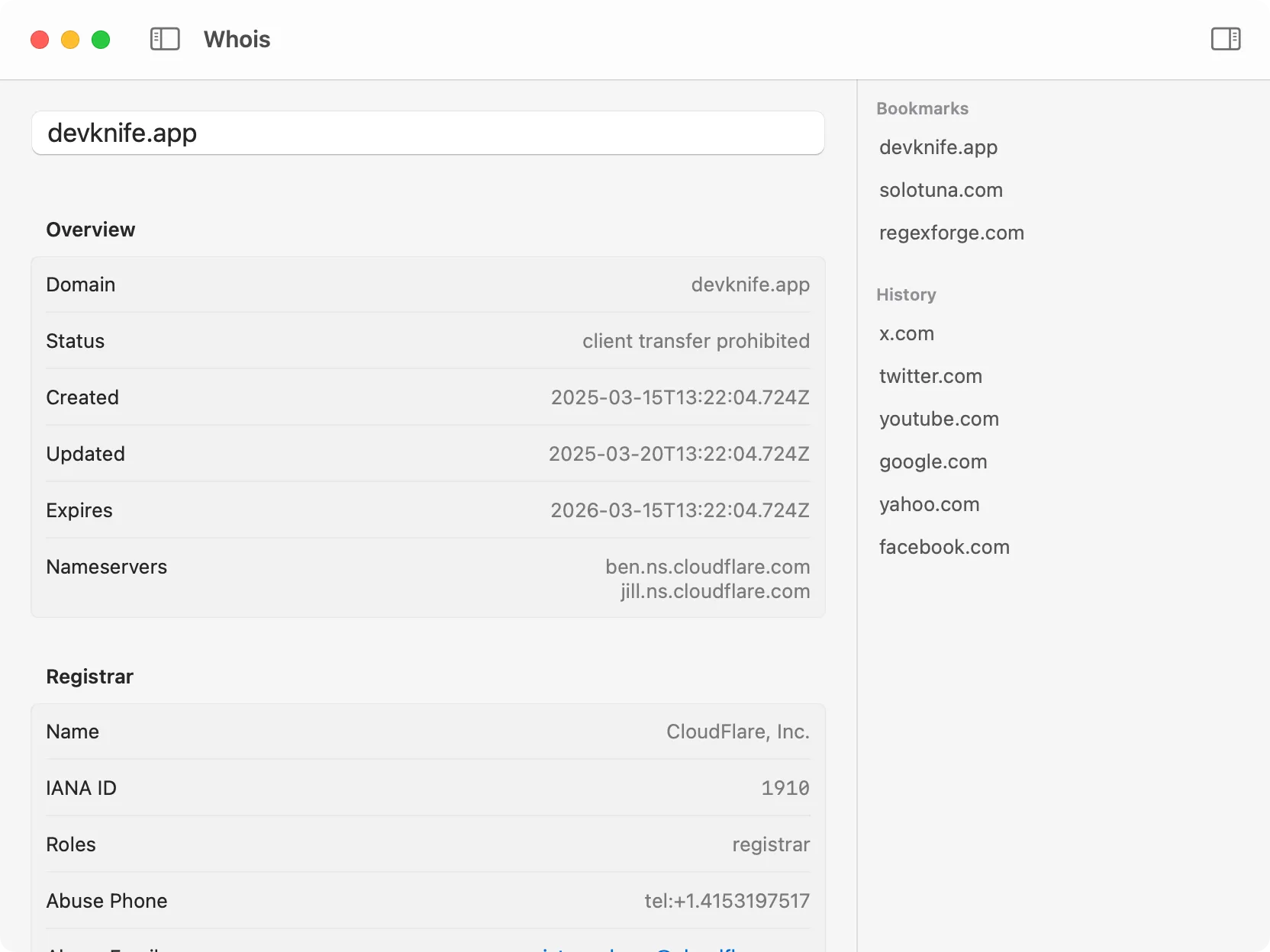
The updated Domain Whois tool displaying structured RDAP results
For those unfamiliar:
When DevKnife was first released, the Domain Whois tool relied only on WHOIS and showed the raw server output. With this update, if the top-level domain (TLD) supports RDAP, DevKnife will now use RDAP and display the information in a structured format.
If RDAP isn’t supported for a given TLD yet, the tool will automatically fall back to WHOIS to make sure you still get the data you need.
This change makes the Domain Whois tool much easier to use and gives you a cleaner view of registration data.
Additionally, a small UI quirk was fixed in this update, correcting the padding around the IP Lookup tool’s input field.
Learn how to convert YAML to JSON and back on macOS, why the two formats are used in different places, and how to do it instantly and locally with DevKnife.
Read More
Fast, private, and built for macOS.